
WordPress Email Registration Blacklist (CMRB) - Reserved Usernames
Reserved Usernames
Note: the feature covered in this guide was introduced in version 1.8.4.
The WordPress Email Registration Blacklist plugin allows to block registrations based on the list of reserved usernames created by the admin.
TIP
Learn more about the reserved usenames feature in this step-by-step use case guide:
To manage reserved usernames, navigate to Admin Dashboard → CM E-Mail Registration Blacklist.

Head to the Reserved Usernames tab.

Usernames can be added in 2 ways - adding each username manually, or adding them in bulk by importing from a CSV file.
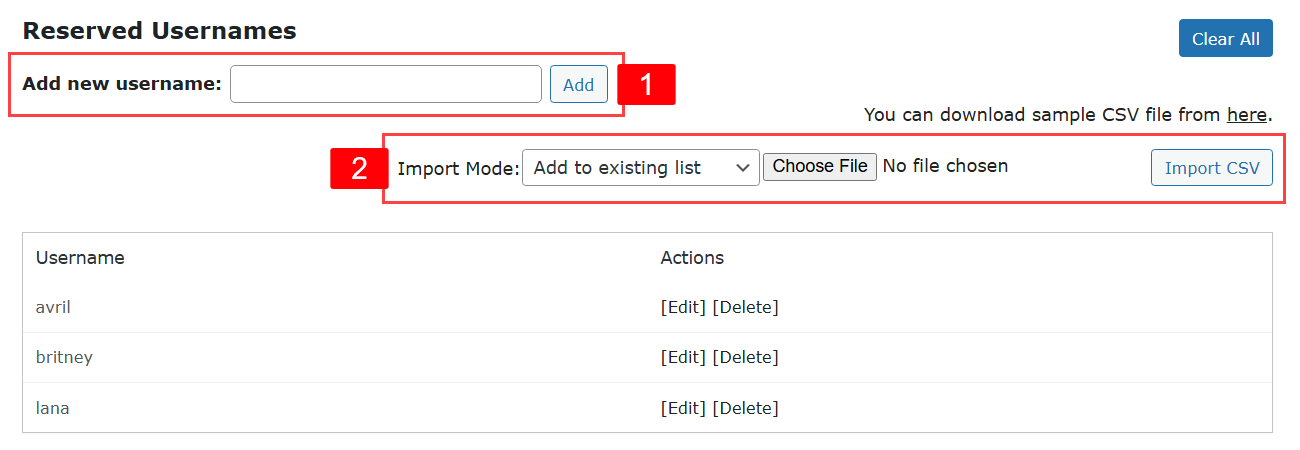
- Add new username - Allows to add usernames manually. Just type a username in the field and click Add.
- Import CSV - Allows to add usernames in bulk by importing them from a CSV file. Click Choose File, select the needed CSV file and click Import CSV. There are 2 import modes:
- Add to existing list - Adds usernames from a CSV file to the current list of usernames.
- Replace the whole list - Removes all existing usernames, and adds only the ones that are in the CSV file.
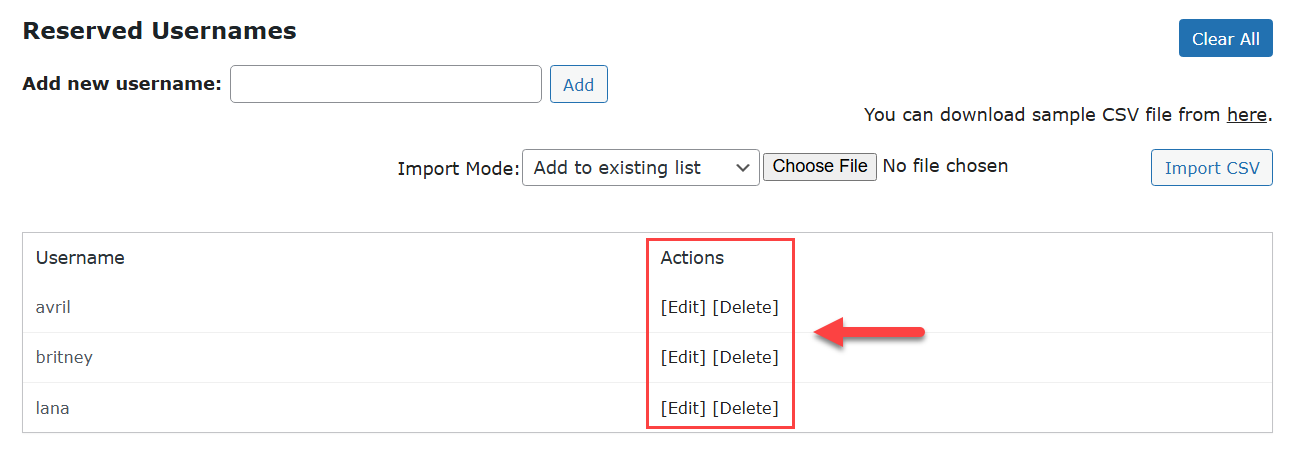
Below you can see a list of added by you usernames. Edit or Delete each name by using corresponding buttons:
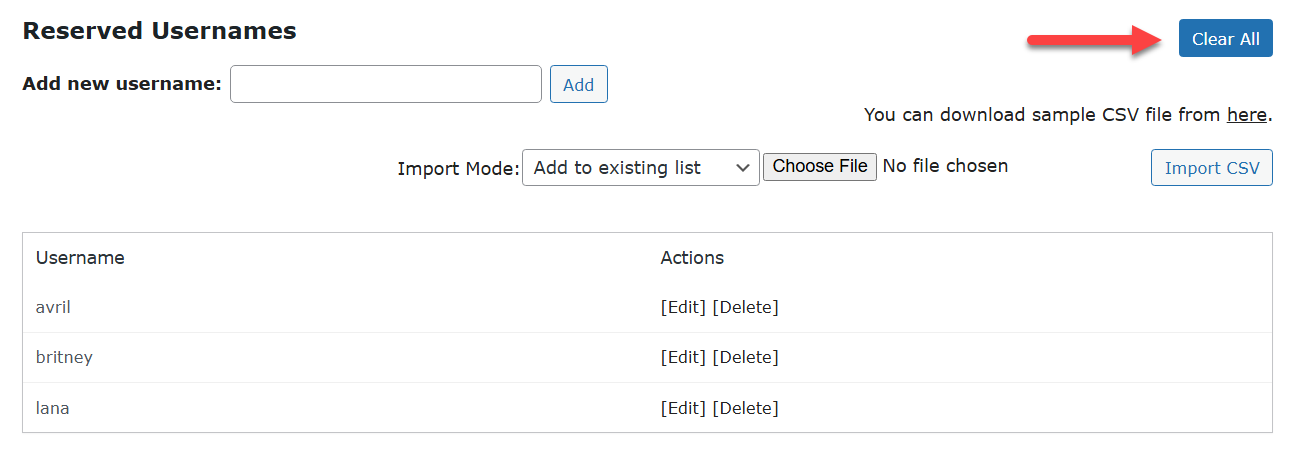
To remove all added usernames, click the button Clear All at the top right.
 |
More information about the WordPress Email Registration Blacklist plugin Other WordPress products can be found at CreativeMinds WordPress Store |
 |
Let us know how we can Improve this Product Documentation Page To open a Support Ticket visit our support center |